an all-in-one education operations platform that helps educators, coaching centers, and institutes create courses with AI, publish to multiple platforms, manage students/parents, automate marketing, and handle payments + accounting.
Education providers (solo tutors → institutes) use too many disconnected tools (Drive, WhatsApp, Excel, payment apps, marketing tools, LMS platforms). This causes:
duplicate work (same data in multiple places)
missed follow-ups (fees, attendance, parent updates)
poor visibility (staff performance, course engagement, revenue)
slower growth (weak marketing automation + reporting)
Design an experience that lets education businesses run end-to-end operations from one place:
Create & manage courses/coaching plans with AI
Publish content to multiple platforms
Manage students, parents, staff, fees, payroll
Automate marketing + communication
Provide dashboards and reports for decisions
This was an individual UX design project where I led the entire design thinking process from research to high-fidelity prototyping for both web and mobile experiences.
To understand operational pain points across coaching centers and institutes, I conducted:
5 qualitative interviews (tutors, coaching admins, institute owners)
Survey (20–40 responses) to validate patterns (example)
Why qualitative first: I needed depth on workflows, tool switching, and operational breakdowns.
Pain point 1 — Tool switching kills time
Admins manage attendance in one tool, fees in another, and parent updates separately. It’s slow and error-prone.
Pain point 2 — Communication is repetitive
Sending fee reminders, attendance updates, test results, and event announcements manually leads to missed messages and inconsistency.
Pain point 3 — Payments and accounting are fragmented
Receipts/invoices, due dates, and income/expense reports are spread across Excel and payment apps.
Pain point 4 — Course creation + publishing is hard to scale
Educators want AI help for course structure and content, and want “publish once → distribute everywhere.”
Problem statement:
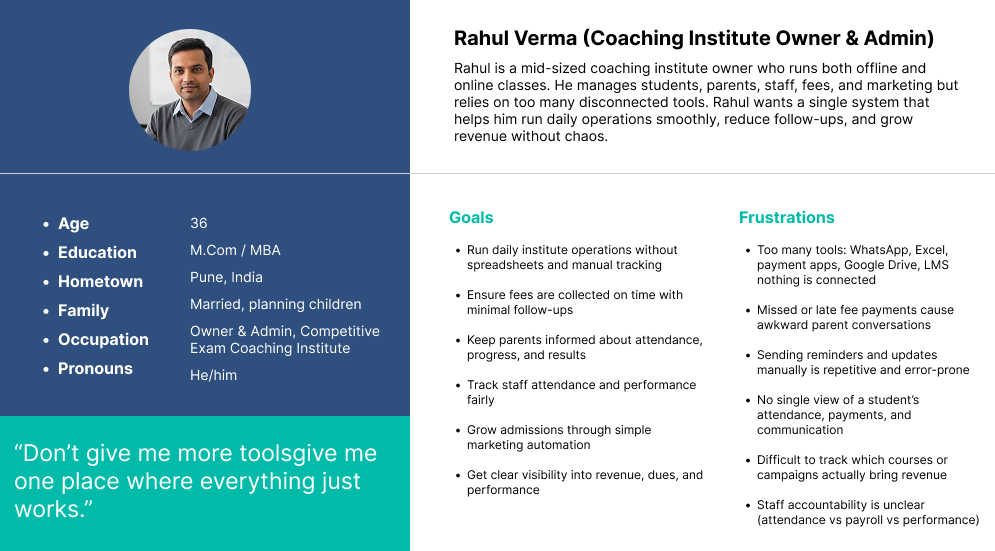
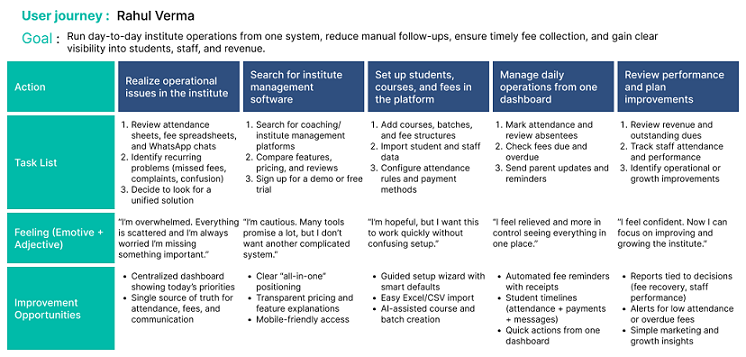
Rahul is a mid-sized coaching institute owner who runs both offline and online classes. He manages students, parents, staff, fees, and marketing—but relies on too many disconnected tools. Rahul wants a single system that helps him run daily operations smoothly, reduce follow-ups, and grow revenue without chaos.
Rahul Verma
Goal : Run day-to-day institute operations from one system, reduce manual follow-ups, ensure timely fee collection, and gain clear visibility into students, staff, and revenue.
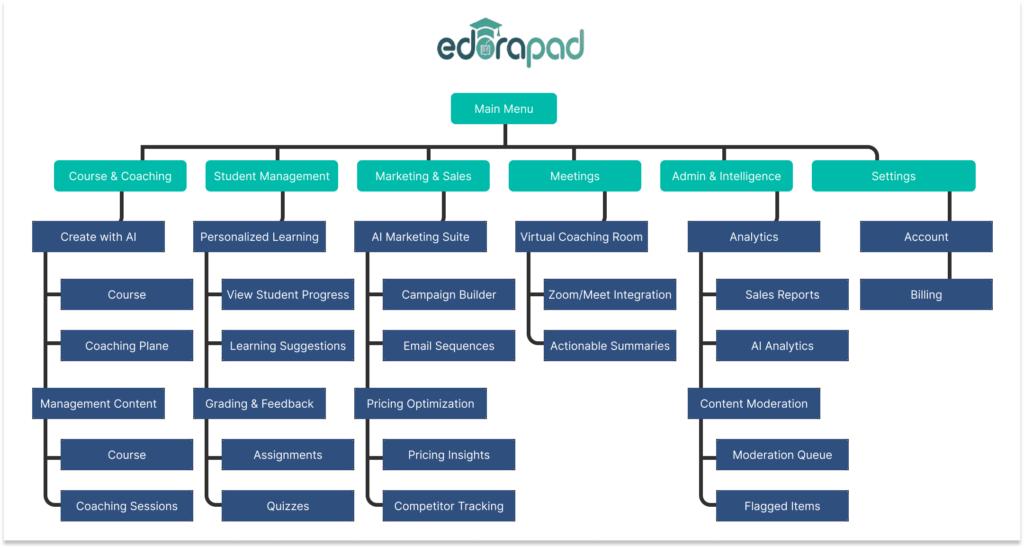
I structured navigation so daily actions stay simple (Dashboard / Invest / Save / Learn), while deeper tools live behind focused entry points (profile, risk, alerts, marketplace filters).
Finding 1 — Publishing needs clarity
Users didn’t understand whether content was “scheduled,” “live,” or “failed” across platforms.
Fix: Add publish status tracker + error messages + retry.
Finding 2 — Fee reminders must be customizable
Admins wanted templates (tone/language), installment options, and “send to parent + student.”
Fix: Reminder templates + rules + audience toggle.
Finding 3 — Student profile needed a timeline
Users wanted a chronological view: attendance → messages → test scores → payments.
Fix: Add activity timeline + filters.
High-fidelity UI establishes WealthVerse’s visual language: clean hierarchy, card modules, and strong action buttons for investing, rebalancing, and strategy actions.
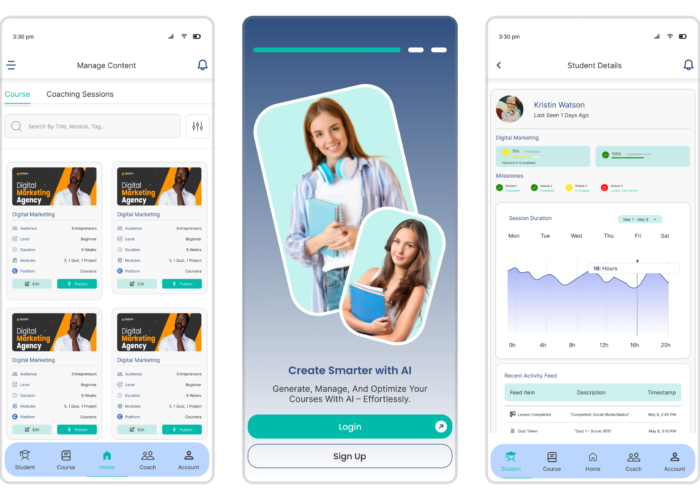
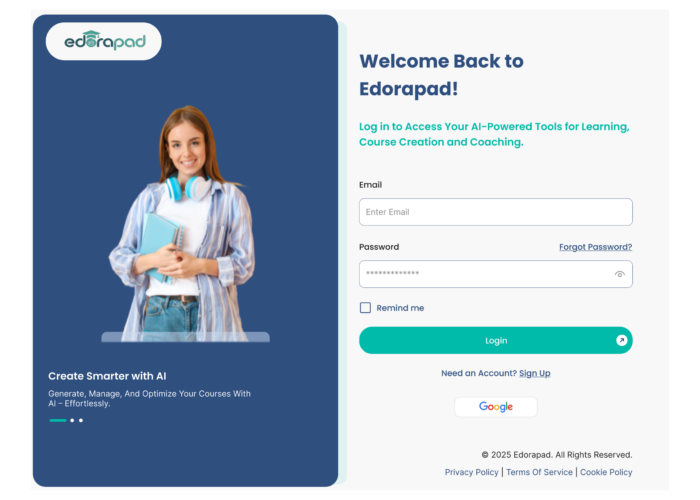
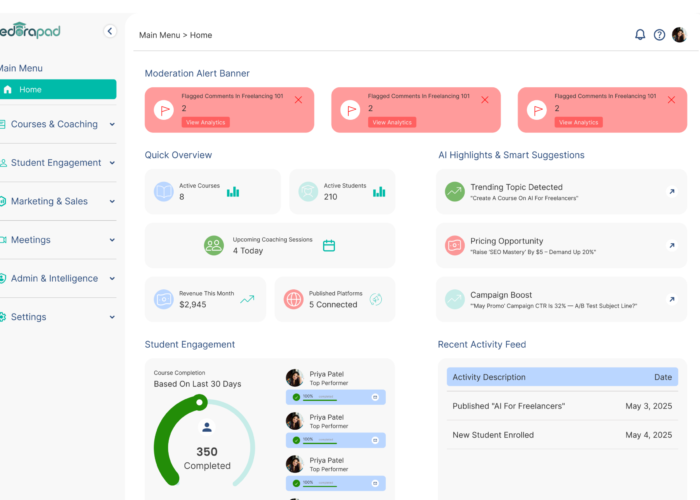
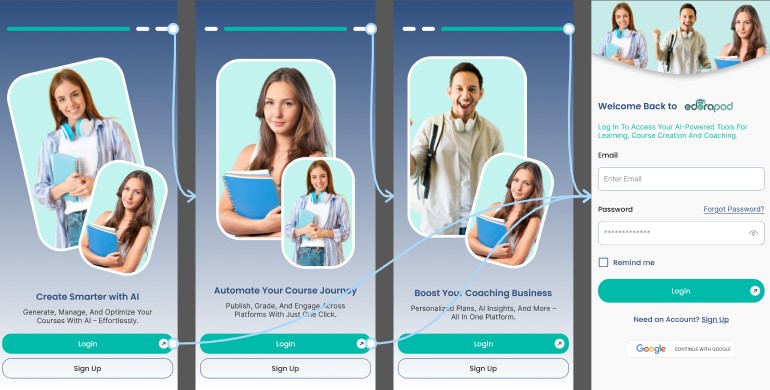
The hi-fi prototype demonstrates the full experience: onboarding, dashboard with smart suggestions, risk profile and rebalancing prompts, marketplace browsing, and strategy detail pages.
Clear text hierarchy (headings, labels, spacing)
High contrast for critical admin indicators (due/overdue, absent/present)
Keyboard navigable tables for admin-heavy screens
Error prevention: confirmations for bulk messaging and payment actions
Impact
A unified system like Edorapad reduces operational overhead by consolidating course creation, student management, payments, communication, HR, and marketing into one workflow especially valuable for hybrid coaching centers and growing institutes.
What I learned
Admin users care most about “today’s tasks” and reliability
Automations must be transparent (what will send, to whom, and when)
Reports matter only if they connect to decisions (fee recovery, marketing ROI, engagement)
Run a second usability study focused on accounting + payroll flows
Add onboarding for different user types (solo educator vs institute)
Expand integrations (payment gateways, LMS, WhatsApp API providers, video/live tools)
Validate analytics dashboards with real admin data and KPIs